Versioning
Ensemble uses versioning to separate test/development from production. This lets you iterate freely on your agents and tools without affecting live users.
The Two Modes
Every agent and tool exists in one of two states:
Draft
Your working copy. Editable at any time. Use this for development, testing, and iteration.
- Safe to break things. Iterate as many times as you need
- Only a single draft version is available at any time. Editing a draft will update the same draft.
- Available to use via
latestreference
Published (v1, v2, ...)
Immutable snapshots. Once published, a version never changes. Use this for production.
- Guaranteed stability for deployed applications
- Each publish creates a new version number
- Previous versions remain accessible
- Note: a published agent may reference non-published tools which may change. Make sure to reference published tools to lock down the stability.
How It Works
Select the version you want to work with on the detailed screen of the agents or tools.
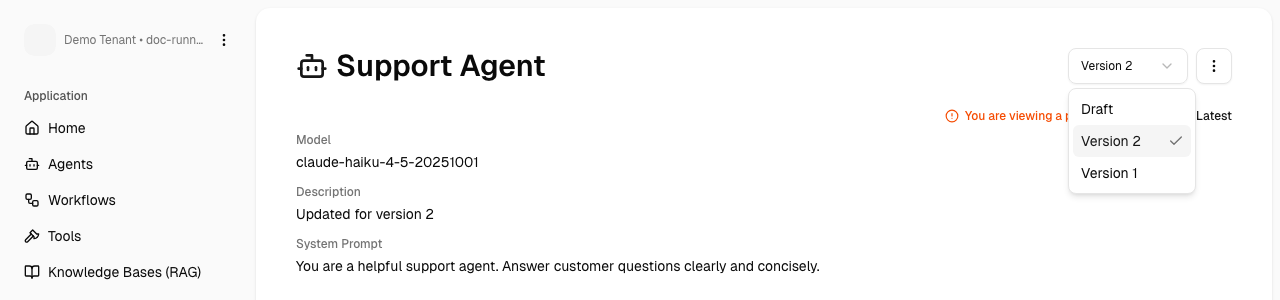
Rules:
- Updating a draft will overwrite this same draft
- Publishing a draft converts it into the next published version.
- Published versions are immutable, so editing one will create a new draft version.
Draft → after first published → v1 (immutable)
    ↓
Edit v1
    ↓
Draft → after published → v2 (immutable)